Church Newsletters
Never miss a church newsletter again.
The weekly newsletter shouldn't start with chasing ministry leaders for blurbs on Thursday morning. In ChurchCopy, every copy package writes a newsletter blurb for you automatically. Need another one? Click Add copy and choose the angle. Then filter your calendar to see every scheduled blurb at once, or just ask the AI Chat Assistant what needs to go out this week.
7-day free trial · No credit card required
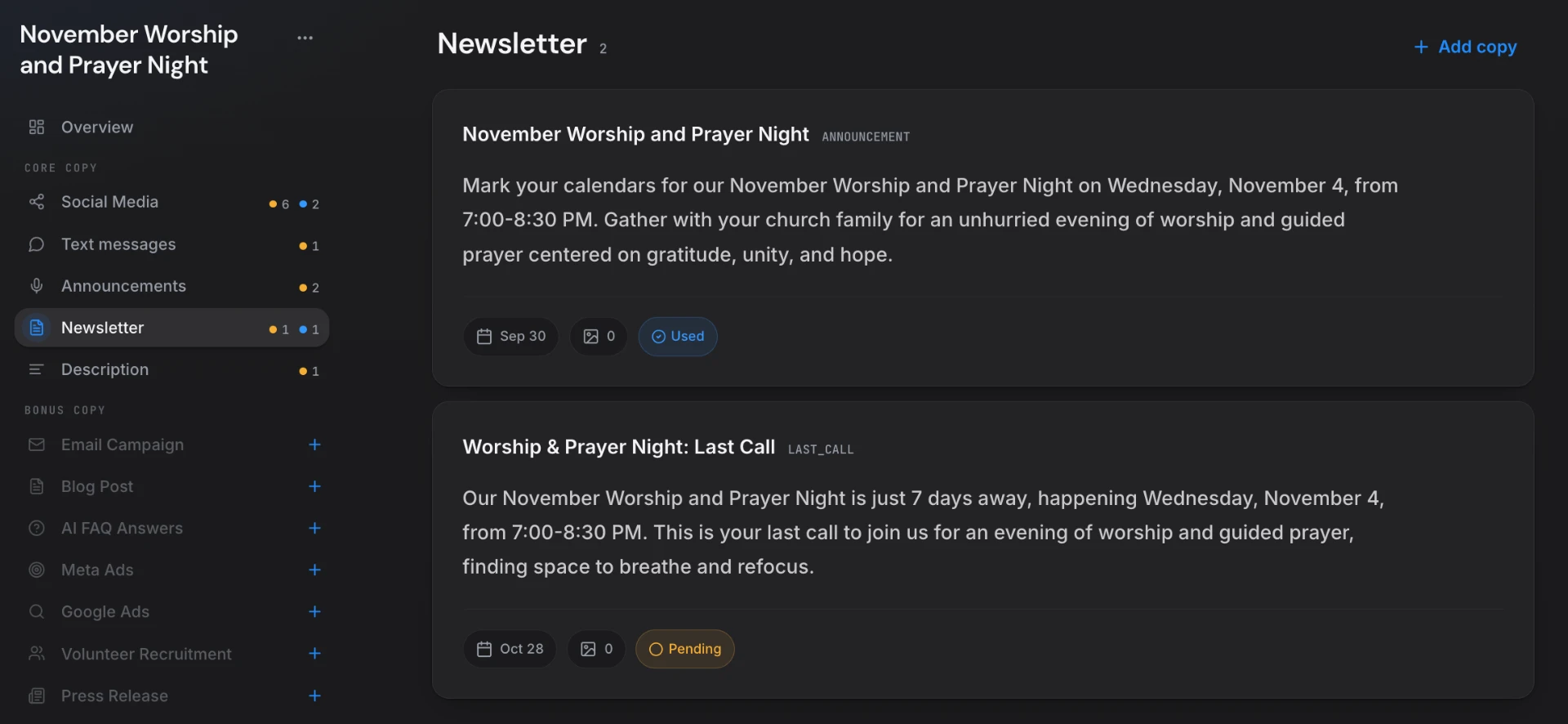
ChurchCopy is church newsletter software that writes newsletter blurbs automatically inside every copy package, lets you add more blurbs with a chosen angle (reminder, why-come, follow-up, announcement), shows every scheduled blurb on a filtered calendar, and lets your AI Chat Assistant find upcoming blurbs on request.
The weekly newsletter is always a scramble.
Most church newsletters get built the night before from scattered emails, half-finished notes, and whatever someone remembered to send in.
Chasing blurbs every week
Ministry leaders send details late, in different formats, or not at all — and someone has to rewrite all of it.
The same blurb on repeat
An event gets promoted for three weeks with the exact same paragraph, and people stop reading it.
Things slip through
An event goes out without a reminder because nobody could see which blurbs were scheduled for which week.
No single place to look
Newsletter copy lives in docs, inboxes, and chat threads, so assembling the issue means hunting for every piece.
Every newsletter tool your church needs, in one workspace.
ChurchCopy handles the whole newsletter cycle — writing, variety, scheduling, and finding what's due — so your team never misses an issue.
Written automatically in every copy package
Create a copy package for any event, series, or sermon and a newsletter blurb is drafted for you in your church's voice — no extra step.
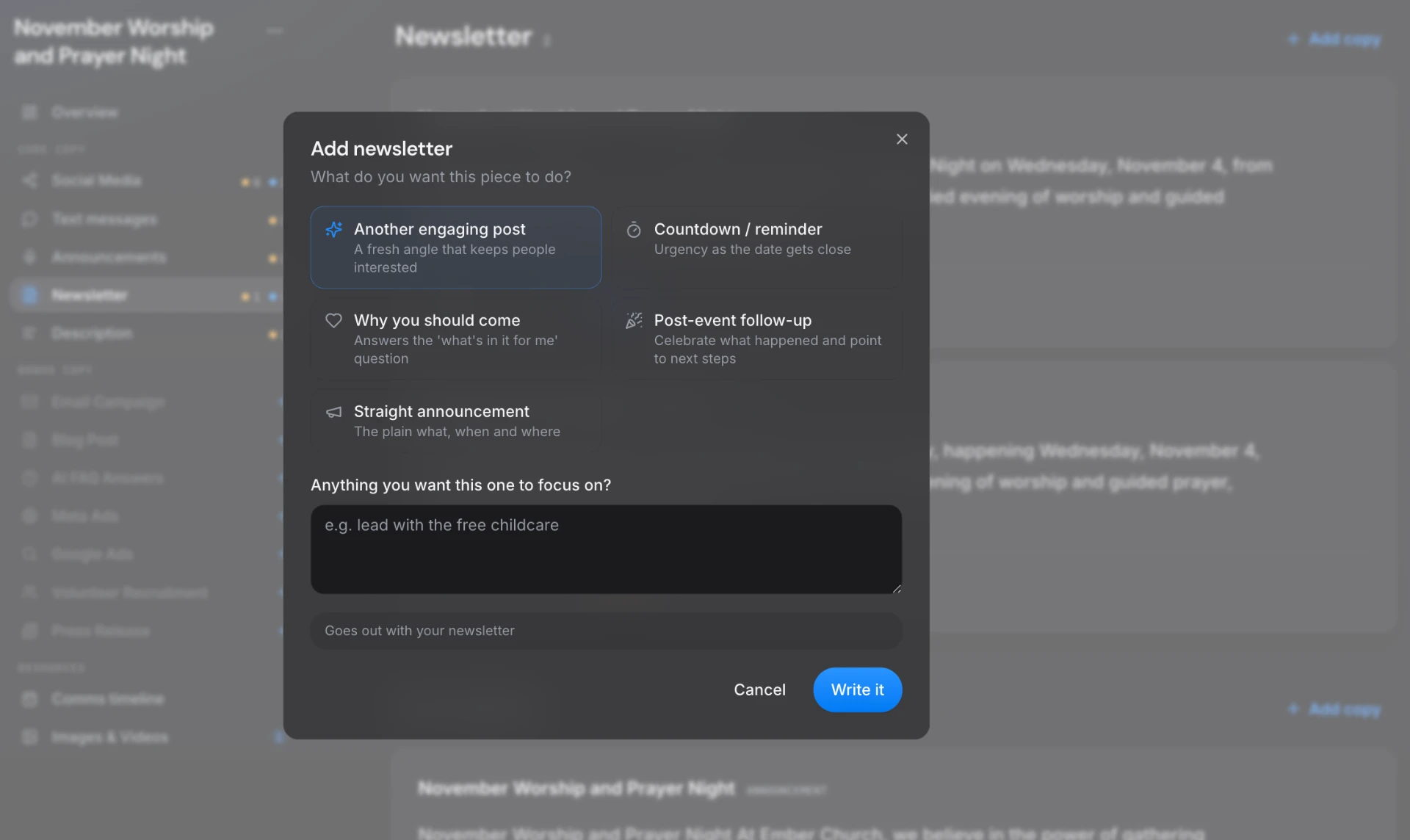
Add copy with the angle you choose
Click Add copy and pick what this blurb should do: another engaging post, a countdown reminder, why you should come, a post-event follow-up, or a straight announcement. Add a focus like "lead with free childcare."
Every scheduled blurb on one calendar
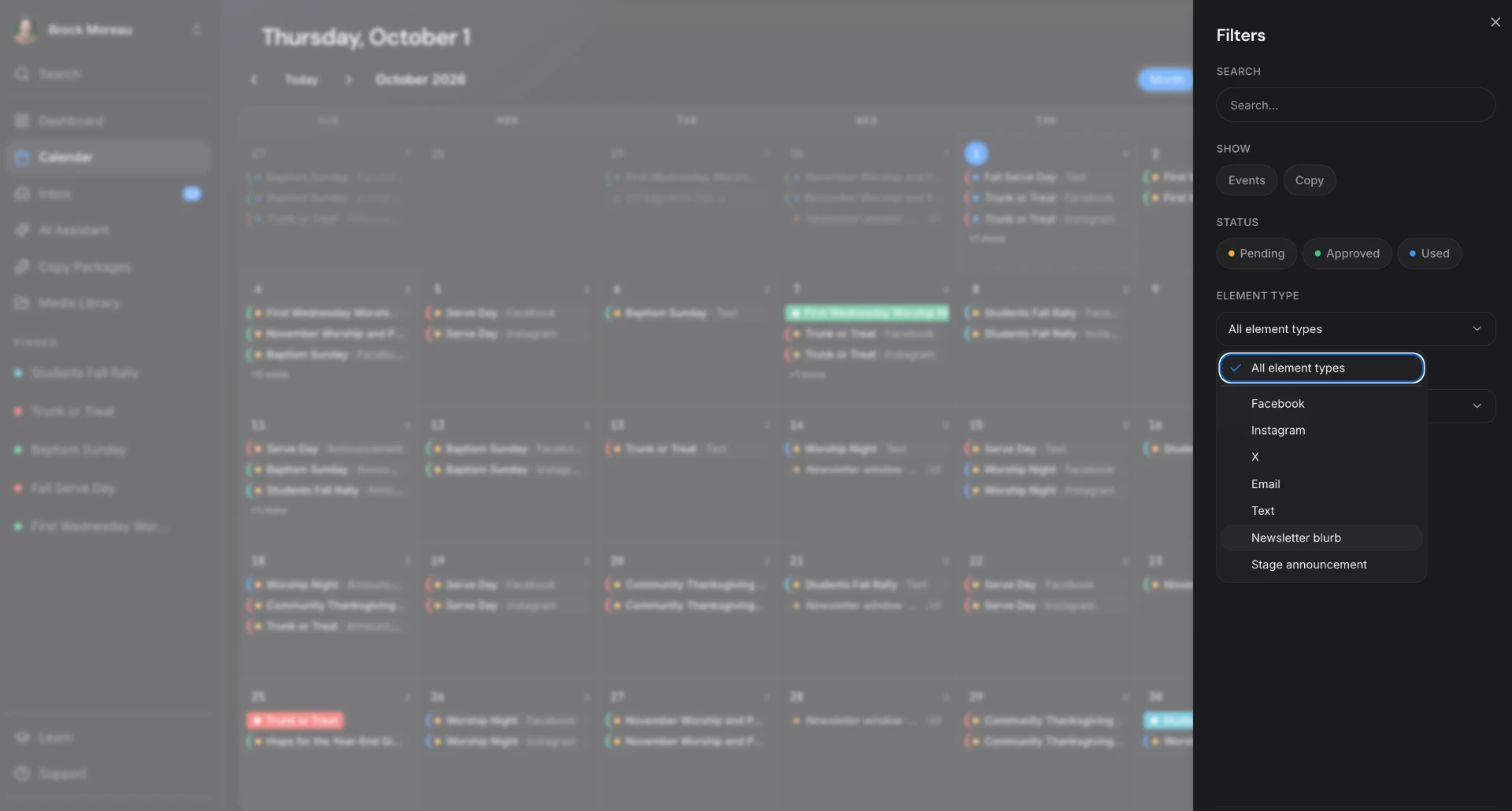
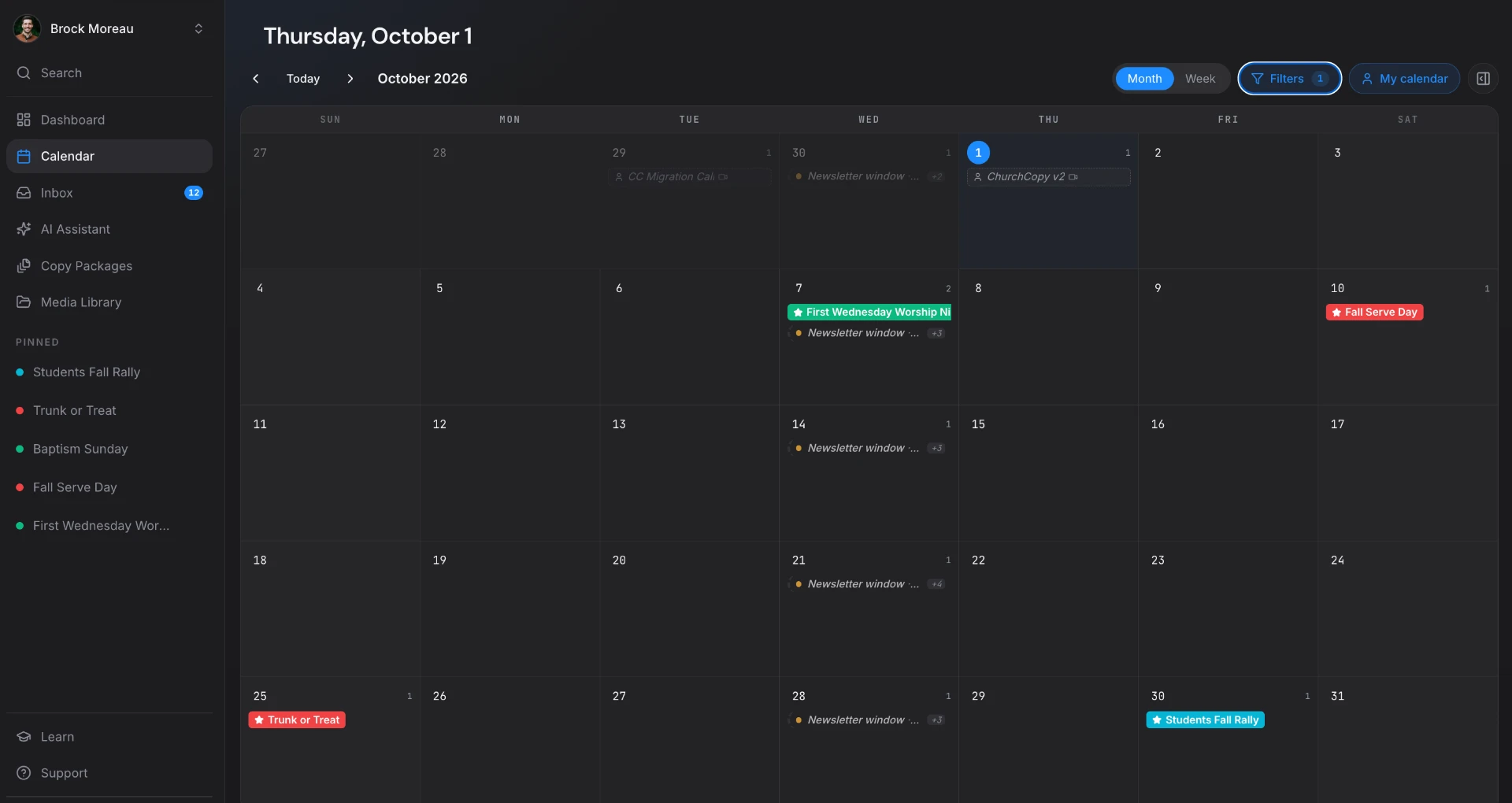
Filter the communications calendar by Newsletter blurb and see every blurb across every ministry, mapped to each week's newsletter send.
Ask AI what needs to go out
Ask the AI Chat Assistant "Do I have any newsletter blurbs coming up?" and it pulls the dates, event names, and full copy for you.
Statuses so nothing gets missed
Each blurb is marked Pending, Approved, or Used, so you always know what's been sent and what's still waiting.
Paste into any email platform
Copy finished blurbs straight into Mailchimp, Constant Contact, Flocknote, Planning Center, or whatever you already use.
Four steps, start to sent.
Create a copy package
Describe your event or upload a sermon — a newsletter blurb is written automatically.
Add the angles you need
Use Add copy for reminders, last calls, why-come blurbs, or follow-ups, each with its own send date.
Check the calendar
Filter by Newsletter blurb to see exactly what's going in each week's issue.
Ask, copy, and send
Ask AI what's due, copy the blurbs into your newsletter, and mark them Used.
See it in ChurchCopy.
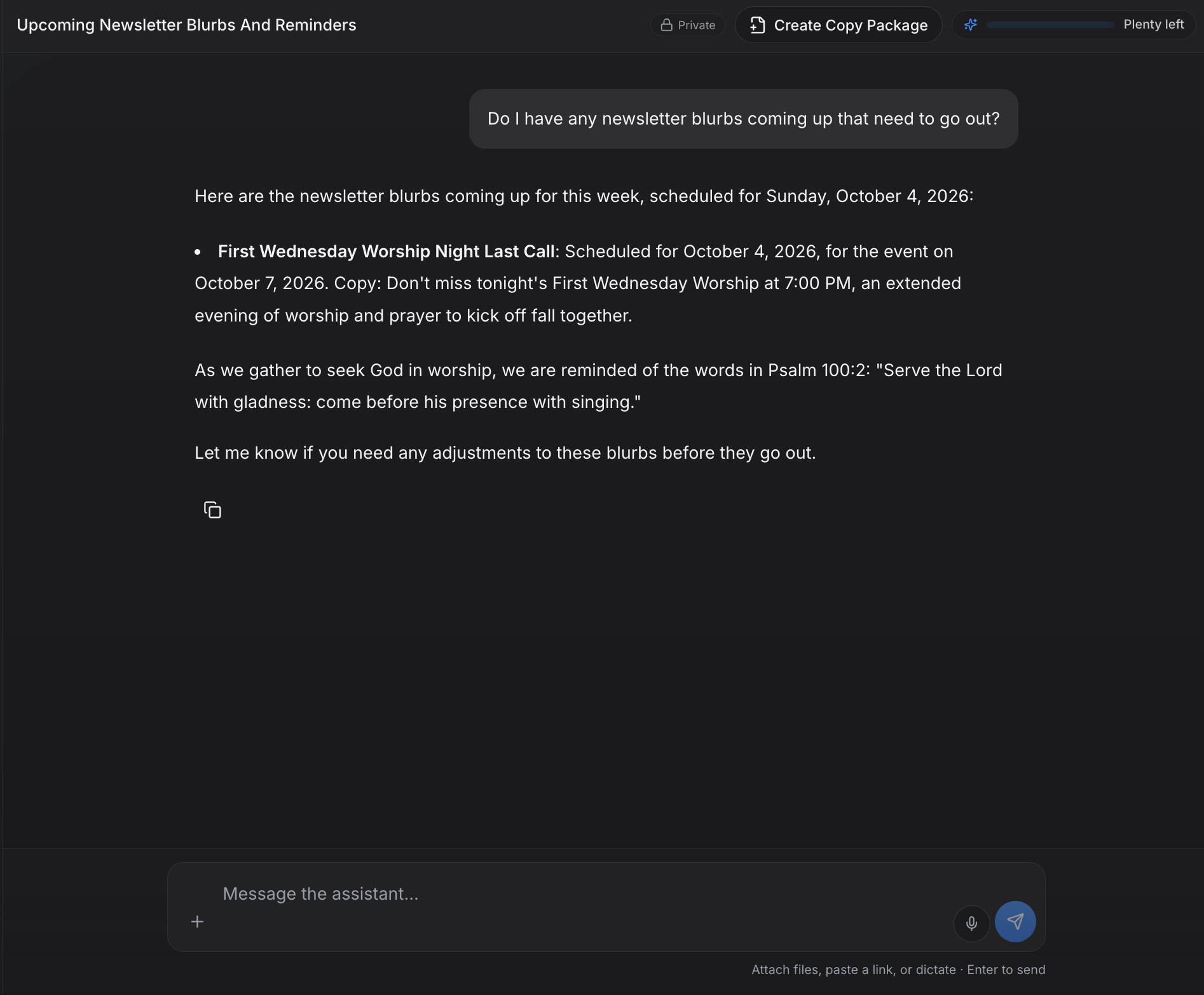
How teams actually use it.
Comms Director
Build the weekly newsletter in minutes from blurbs that are already written and scheduled.
Ministry Leaders
Get their event into the newsletter for multiple weeks with fresh copy each time.
Church Administrator
Ask AI what's due this week instead of digging through emails.
Church Newsletters — common questions
Does ChurchCopy write church newsletters automatically?+
Yes. Every copy package includes a newsletter blurb written in your church's voice. You can add more blurbs at any time with Add copy.
Can I make different newsletter blurbs for the same event?+
Yes. Click Add copy and choose an angle — another engaging post, a countdown reminder, why you should come, a post-event follow-up, or a straight announcement — plus an optional focus.
How do I see all the newsletter blurbs scheduled for this week?+
Open the communications calendar, open Filters, and set Element Type to Newsletter blurb. You can also ask the AI Chat Assistant which blurbs are coming up.
Does ChurchCopy send the newsletter for me?+
ChurchCopy writes, organizes, and schedules your newsletter copy. You paste the finished blurbs into the email platform you already use, like Mailchimp, Constant Contact, or Flocknote.
Can I edit a newsletter blurb after it's written?+
Yes. Every blurb is editable by hand, and the rephrase option can make it shorter, longer, or more casual.
Explore more of the workspace
All featuresDashboard
A single command center showing this week's scheduled sends, pending approvals, open tasks, and active copy packages.
Learn moreAI Chat Assistant
A faith-aligned chat assistant grounded in your mission, voice, values, and AI policy — not a blank prompt box.
Learn moreCopy Packages
Describe an event once and build every core message, campaign asset, ad, recruitment piece, and send date as one organized package.
Learn moreReady to simplify your message?
Start free for 7 days. No credit card required.