AI Policy & Guardrails
AI your elders can actually approve.
The question leadership asks isn't whether AI is fast. It's who decides what it's allowed to say. ChurchCopy puts that decision in leadership's hands. Whether your team is brainstorming with the AI Chat Assistant or generating a complete multi-channel copy package, every prompt reviews your church's settings and doctrinal boundaries first, so everything stays strictly within your approved guardrails.
7-day free trial · No credit card required
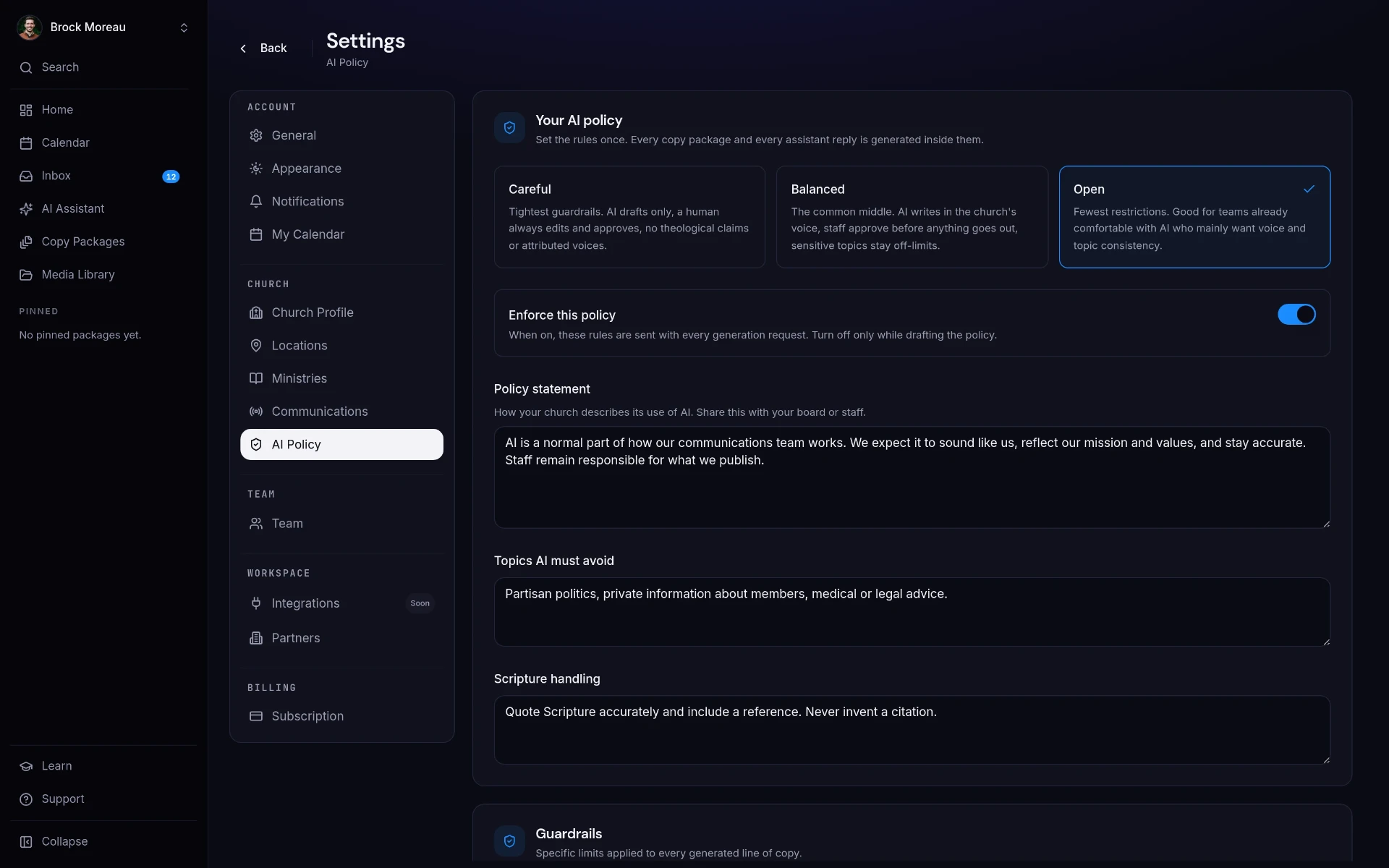
ChurchCopy's AI policy settings let church leadership define a policy level, a written policy statement, and a list of restricted topics that are enforced on every AI generation and assistant response.
Most churches use AI without a policy.
Staff and volunteers are already using AI tools. Without shared boundaries, every person is deciding on their own what's acceptable.
No agreed boundaries
Nobody has written down what AI may and may not be used for, so there's nothing to hold anyone to.
Doctrinal drift
General models blend traditions and soften convictions. Over time, your public voice stops matching your teaching.
Leadership can't verify anything
Elders are asked to trust AI use they can't see, configure, or audit.
Sensitive topics
Grief, crisis, finances, and pastoral care need human judgment, but nothing stops AI from wading in.
Leadership sets it. The software enforces it.
Your church's identity, policy, and guardrails are configured in settings and applied to every piece of copy and every assistant reply.
Identity and voice
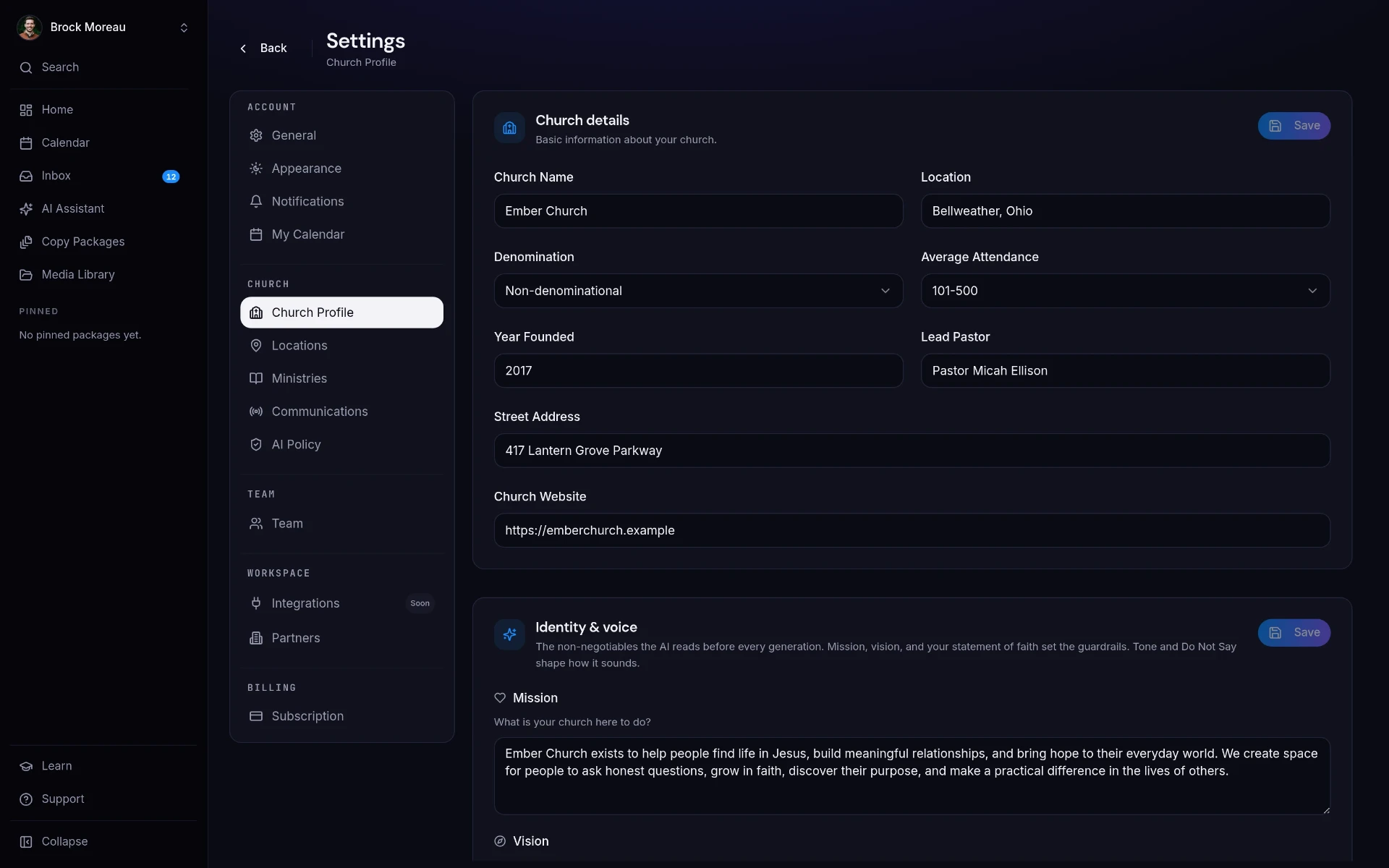
Mission, vision, values, statement of faith, and tone of voice define the baseline for everything generated.
Policy levels
Choose Careful, Balanced, or Open, write your policy statement, and turn on enforcement.
Restricted topics
List the subjects AI must avoid so sensitive conversations stay with your pastoral team.
One standard for everyone
Staff, volunteers, and interns all work inside the same approved boundaries, with no personal AI accounts required.
Three steps, start to sent.
Write your policy
Pick a policy level and record the statement your leadership agrees on.
Set the guardrails
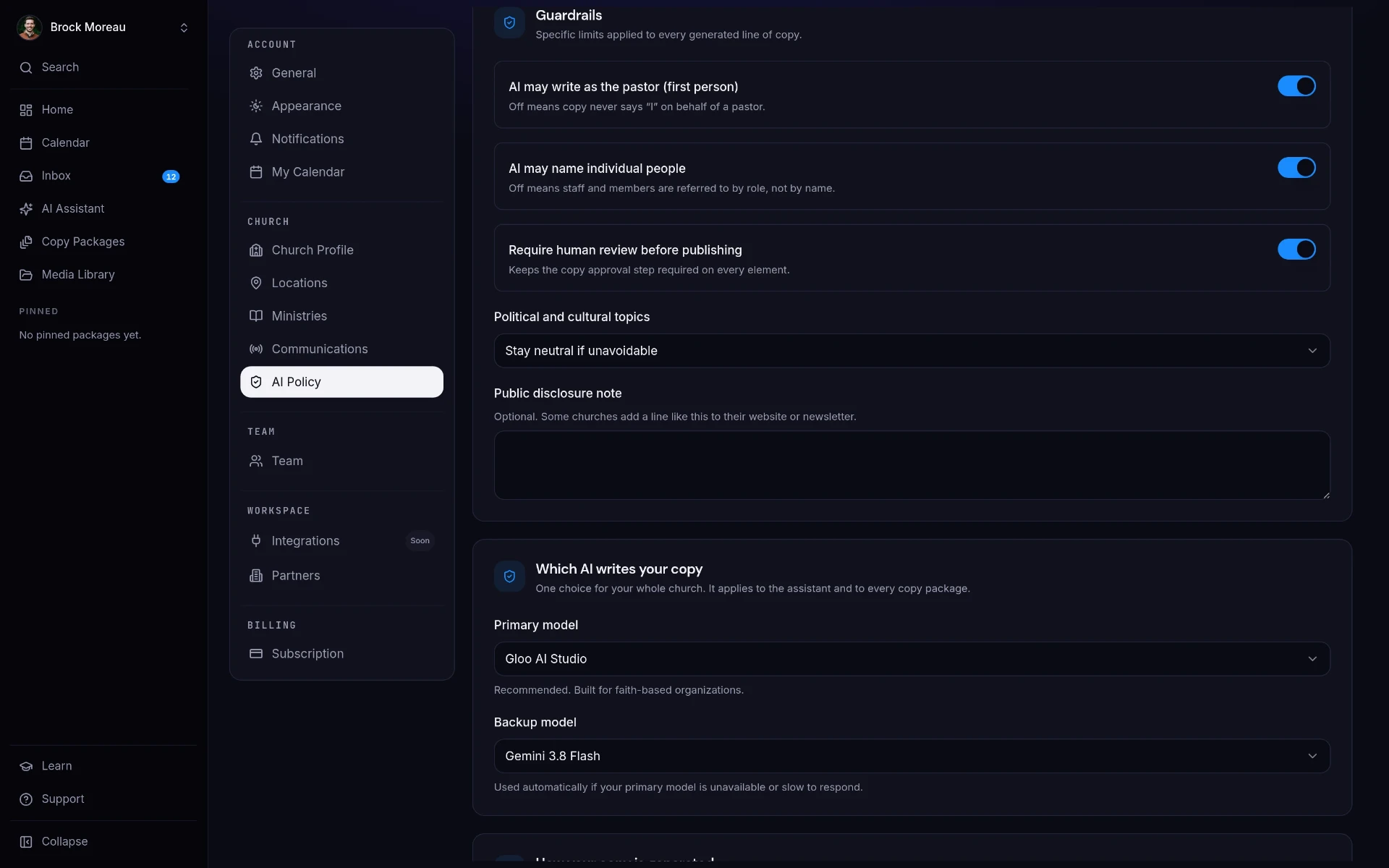
Add restricted topics and enforce the policy across the workspace.
Let the team work
Every package and chat reply is generated inside the boundaries you set.
See it in ChurchCopy.
How teams actually use it.
Elders & Board
Approve one written AI policy instead of trusting ad-hoc tool use.
Executive Pastor
Give staff a sanctioned AI tool with boundaries already in place.
Volunteers
Create copy confidently, knowing the guardrails are doing the checking.
AI Policy & Guardrails : common questions
Does my church need an AI policy?+
If staff or volunteers are using AI for communications, yes. A policy defines what AI may be used for, which topics it must avoid, and who reviews the output before it's published.
How does ChurchCopy enforce our AI policy?+
Leadership sets a policy level, writes a policy statement, and lists restricted topics in settings. Those settings are applied to every copy package and every AI Chat Assistant response in the workspace.
Can we stop AI from writing about certain topics?+
Yes. Add them to your restricted topics list and the AI will avoid them across the workspace.
Is this safer than staff using ChatGPT on their own?+
Considerably. Personal AI accounts have no shared boundaries, no oversight, and no record. ChurchCopy applies one approved policy to everyone on your team.
Explore more of the workspace
All featuresDashboard
A clean home screen: pick an event, Sunday's sermon, or a quick message and start writing, with every package you're working on right below.
Learn moreAI Chat Assistant
A faith-aligned chat assistant grounded in your mission, voice, values, and AI policy, not a blank prompt box.
Learn moreCopy Packages
Describe an event once and build every core message, campaign asset, ad, recruitment piece, and send date as one organized package.
Learn moreReady to simplify your message?
Start free for 7 days. No credit card required.