Dashboard
Open it and start writing.
Most software greets you with a wall of tasks, comments, and charts. ChurchCopy greets you with one question: what do you need to tell your church about? Pick an event, Sunday's sermon, or a quick message, and you're writing in seconds, with every copy package you're working on one glance below.
7-day free trial · No credit card required
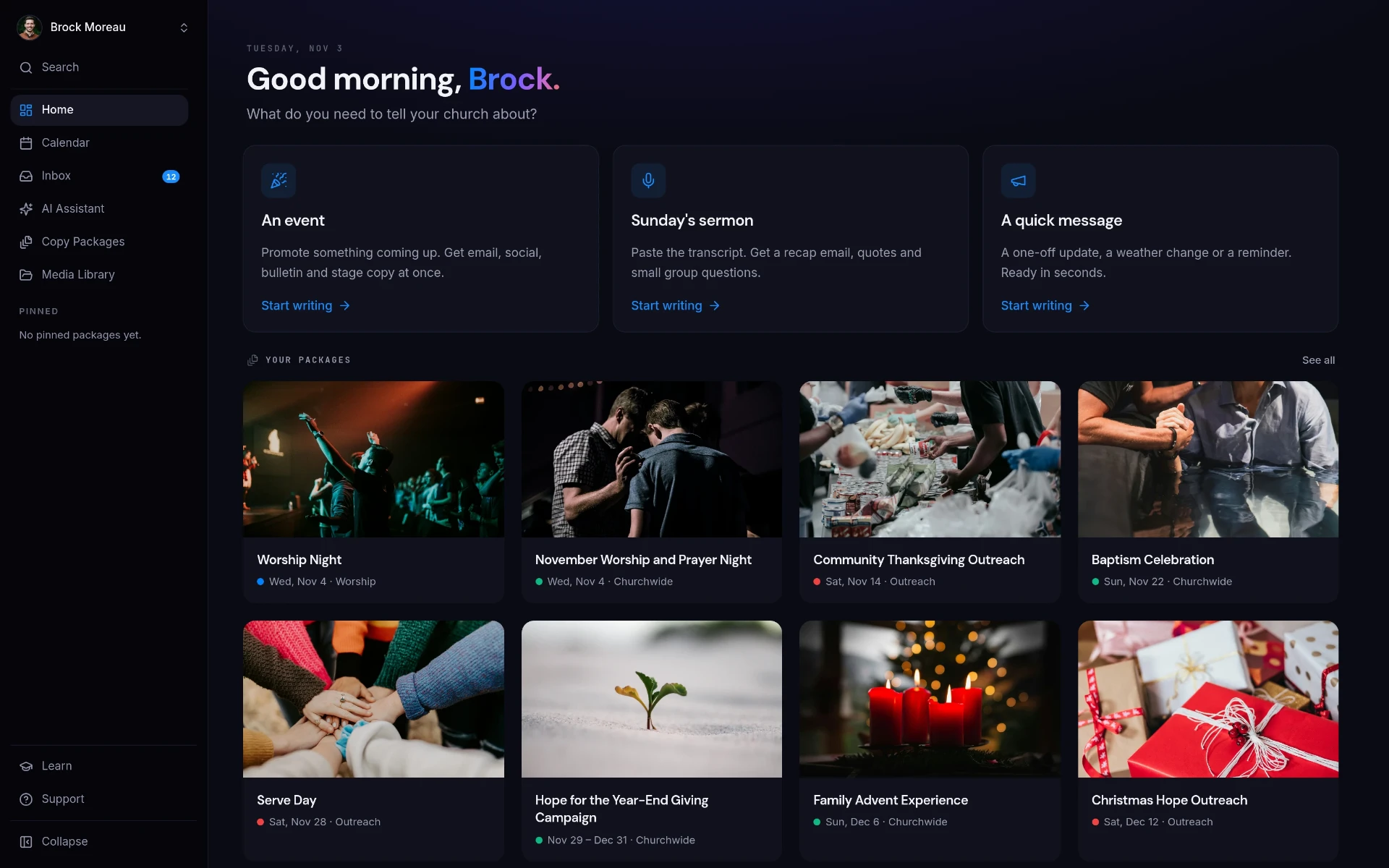
The ChurchCopy dashboard is a simple home screen. It asks what you need to tell your church about, gives you one-click starting points for an event, Sunday's sermon, or a quick message, and shows every copy package you're working on.
Most tools make you work before you can work.
If you're the one person handling comms, a cluttered dashboard is just one more thing to manage.
Too many screens to start
You open a tool to write one announcement and get buried in menus, settings, and notifications first.
Blank prompts slow you down
Generic AI makes you figure out what to ask before you get anything useful.
Past work is hard to find
Last month's event copy is buried in a chat history or someone's documents folder.
Software built for big teams
Most comms tools assume a full department. Most churches have one or two people.
One question. Then you're writing.
The dashboard is built to get you from login to a finished draft as fast as possible.
An event
Promote something coming up and get email, social, bulletin, and stage copy at once.
Sunday's sermon
Paste the transcript and get a recap email, quotes, and small group questions.
A quick message
A one-off update, weather change, or reminder, ready in seconds.
Every package in one place
All your copy packages sit right below with their date and ministry, one click to open.
Three steps, start to sent.
Pick a starting point
Choose an event, Sunday's sermon, or a quick message.
Tell it what's happening
Add the details. ChurchCopy writes it in your church's voice.
Come back anytime
Every package stays on your dashboard and calendar, easy to find and reuse.
See it in ChurchCopy.
See the whole month, then filter it down to exactly what you need.
The dashboard gets you writing. The communications calendar shows the whole month across every ministry, and you can filter it by ministry, status, and element type to see only what matters to you.
- Month View
- Filter by Ministry
- Filter by Status
- Filter by Element Type
- Search
How teams actually use it.
Team of One
Open ChurchCopy and start this week's announcement in one click.
Lead Pastor
Turn Sunday's sermon into a recap email and small group questions.
Ministry Leaders
Find their event package instantly instead of digging through old chats.
Dashboard : common questions
What does the ChurchCopy dashboard show?+
A simple start screen with three options (an event, Sunday's sermon, or a quick message) plus every copy package you're working on, with its date and ministry.
Can our pastor see the dashboard without a paid seat?+
Yes. Free viewer accounts can view the workspace and copy content. Free viewers are included with ChurchCopy Pro. Commenting and approving require a paid Pro collaborator.
Does the dashboard replace our communications calendar?+
No. The dashboard is where you start writing; the communications calendar shows when every piece goes out across the month.
Is it complicated to learn?+
No. The dashboard asks one question (what do you need to tell your church about?) and you pick a starting point. Most people are writing within minutes.
Explore more of the workspace
All featuresAI Chat Assistant
A faith-aligned chat assistant grounded in your mission, voice, values, and AI policy, not a blank prompt box.
Learn moreCopy Packages
Describe an event once and build every core message, campaign asset, ad, recruitment piece, and send date as one organized package.
Learn moreReview & Approval
Comments, statuses, assigned tasks, and approvals on every piece of copy, with unlimited free viewer accounts.
Learn moreReady to simplify your message?
Start free for 7 days. No credit card required.